Capturing Patterns with Cycle-Byte
With some MCU vendors, an event pattern remains identical for every occurrence of the same event. However certain MCU models, like in ZiQi (MTK) units, use a cycle byte. Meaning that the same event is transmitted with a different byte in the sequence each time.
Understanding the Byte Pattern
When observing the data sent from the MCU to Android from the Live Monitor or by Capture, the structure of the message becomes apparent for this model (ZiQi 9109) in particular. The pattern consists of the following elements:
0xAA | Header |
0x?? | Length of the following bytes |
0x?? | Cycle byte |
... | Actual data |
0x?? | Checksum |
0x55 | Tail Byte |
The second byte is the cycle byte. It changes with each subsequent event, cycling from 0x00 through 0xFF.
As a result, even when the same button or event is triggered repeatedly, the complete byte sequence will not necessarily be identical.
Filtering Out Idle Data
Before capturing the required data, idle events and other unwanted traffic should be filtered out.
This part of the process can be somewhat troublesome because the same event may be captured multiple times, with each occurrence containing a different cycle byte. Fortunately, it is not necessary to capture every variation of the event. Only the first occurrence needs to be captured.
With this idle event of the length 0x10, besides the cycle byte 0x28 and 0x29 and the checksums 0xA8 and 0xA5, they were indeed few more bytes highlighted which still differ.
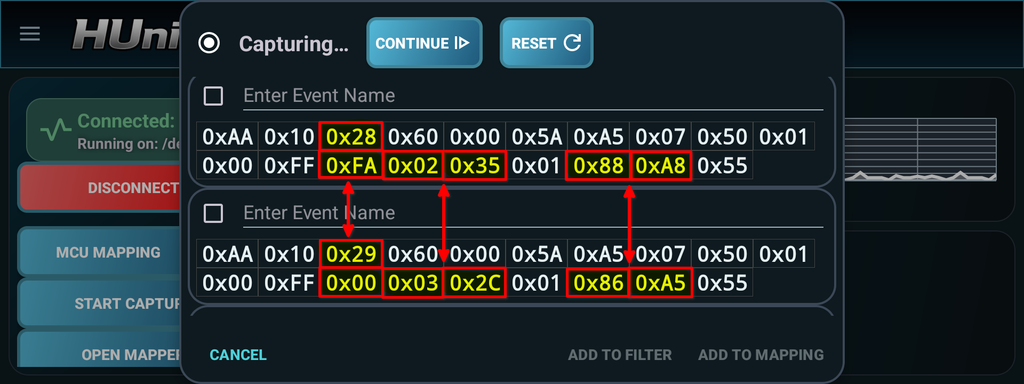
Immediately pause after having captured first bytes to not overload the capture window. And add the similar event to the filter list. When editing the byte pattern, the bytes that would otherwise differ, in this case, the above highlighted bytes, can be configured to match any value.
Go to the filters, edit the newly captured pattern, edit the bytes pattern, and one by one select the differing byte, enable advanced options and change compare operation to ‘MATCH_ANY‘.
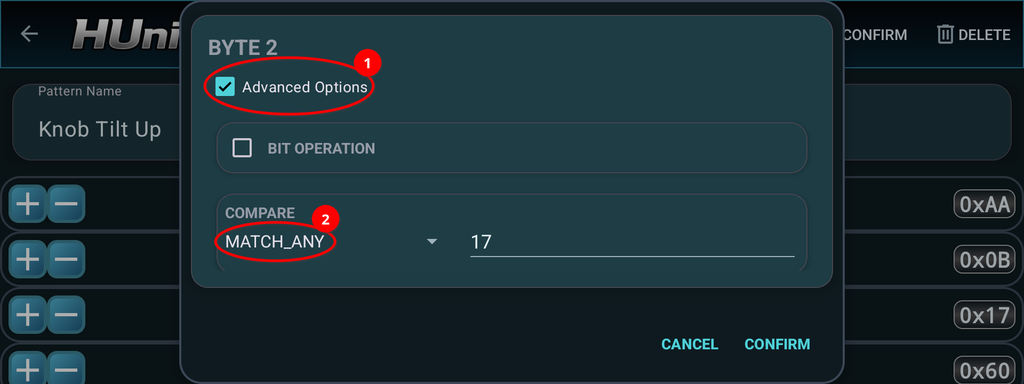
By doing this, the filter and pattern matcher will ignore the changing cycle byte and can still identify the correct signal regardless of its value. The filters should look like the following screenshot:
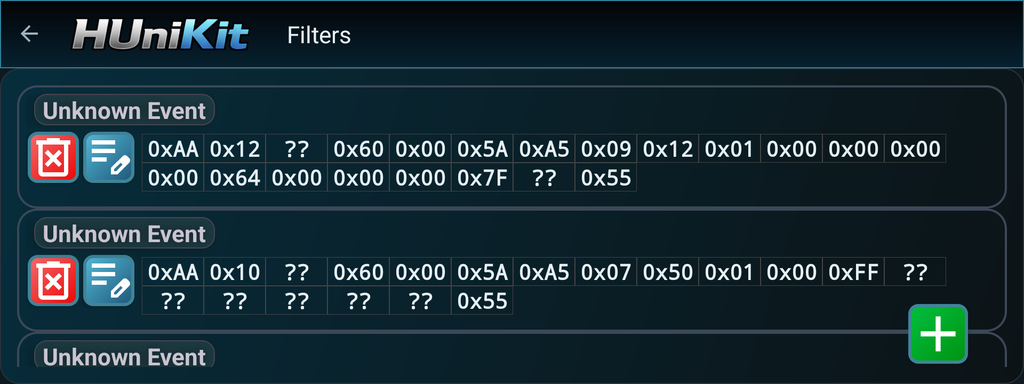
Repeat the previous steps until you clear out all the noise during capture.
Capturing a Button Event
Once the filter has been configured and no additional unwanted bytes are being captured, meaning when you start capture and no new bytes are intercepted you can then initiate a button click.
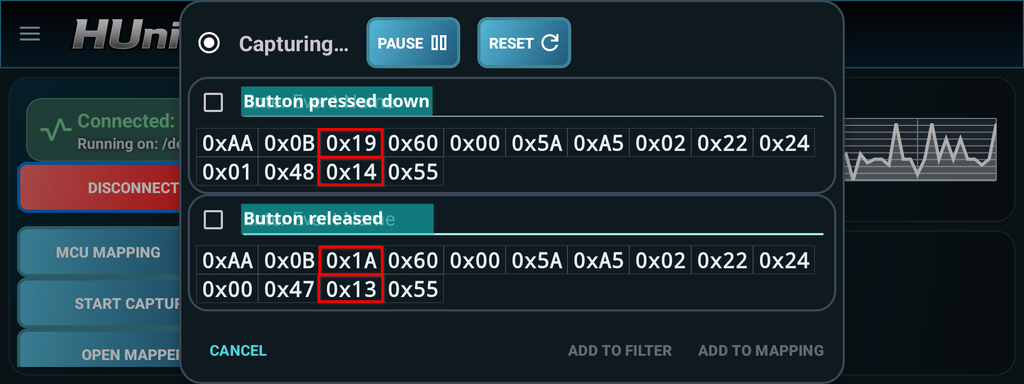
Because of the message structure, the byte pattern must also be edited to match any value for the cycle byte and the checksum. So do the same steps done in the filters, but from the mapper.