Relaying during Capture
In some units (eg. ZiQi 9109) the system can force a system restart when the firmware no longer receives data from your MCU. This can be troublesome because during capture in HUniKit, the data will be temporarily interrupted from reaching your firmware’s MCU service. Meaning every time you start the capture process with no previously filtered patterns, your system will freak up and force restart.
HUniKit will interrupt the data so that the button you want to remap, will not be initiated by said firmware service when you press it. Say if you press the Menu button on your drive knob, you don’t want to actually go back to the home launcher.
To get around this limitation HUniKit will relay back only the previously filtered patterns during capture. That way the firmware’s MCU service will still get the data to keep the device alive during normal capture. But you will have to first record those idle events/noise while keeping the communication to the firmware’s service fully active.
Under Settings -> Capture -> Enable “Relay all bytes”:
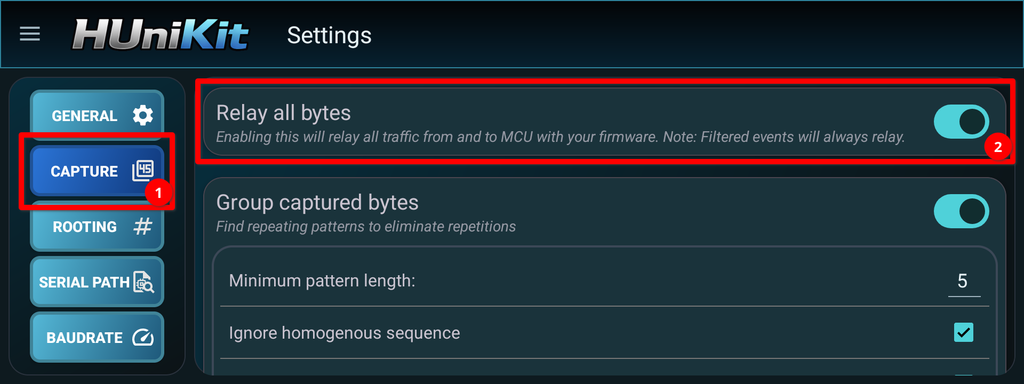
Now start capture all the idle events when no buttons or other wanted events are being triggered and add them to your filters until you have a clean state in the next capture for your desired buttons. Specifically for ZiQi-9109 see: Capturing Patterns with Cycle-Byte.
Don’t forget to turn “Relay all bytes” off, once you have now a clean capture state, meaning no more patterns are being captured unless a desired button is pressed, so that button signal is not relayed back to the firmware’s service and causes the original behavior.